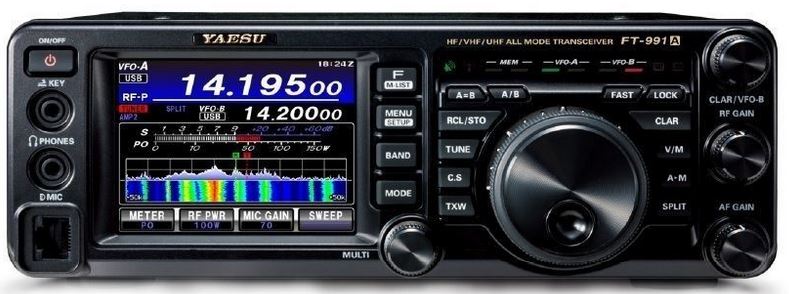
Hold down these buttons while turning the power on...
A>M - Resets memories only.
MENU - Resets all menus
FAST and LOCK - Resets all memories and menu settings.
FAST and A/B and A=B - Puts the radio into Service Mode. (When done press MENU/SETUP to save and exit)
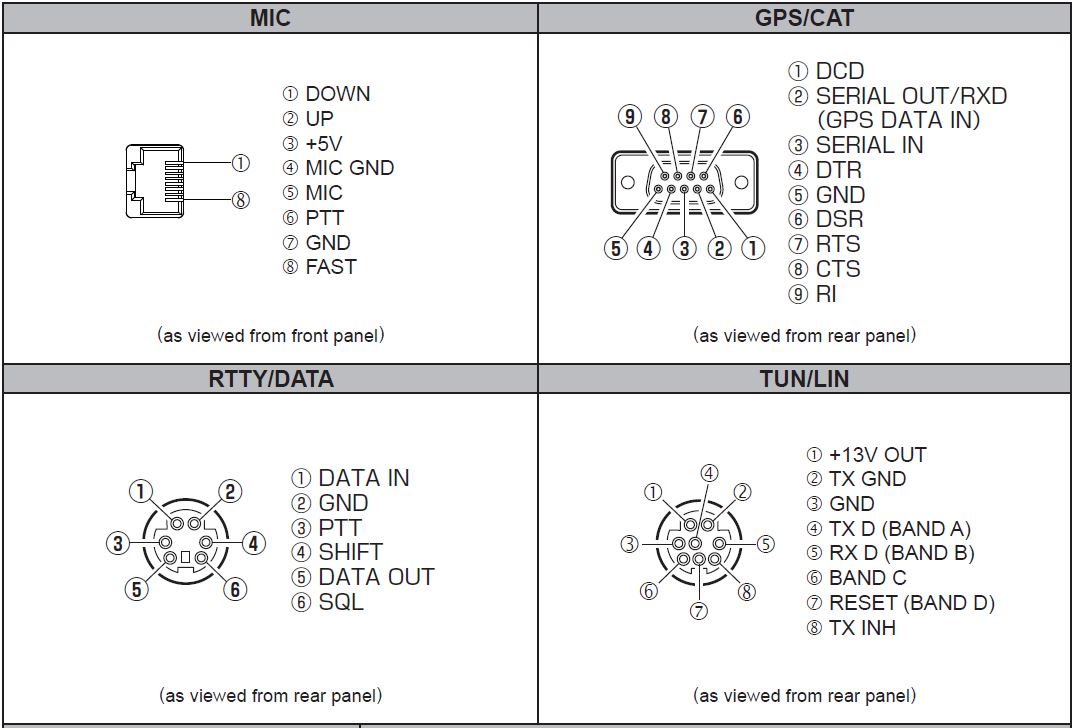
PIN OUTS
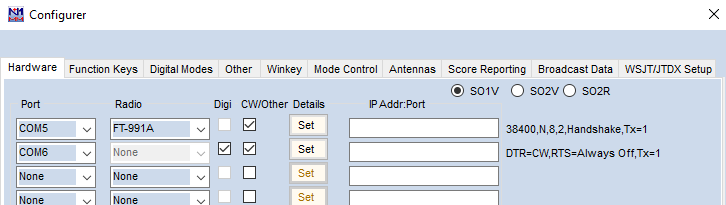
COM PORTS as used for N1MM logger
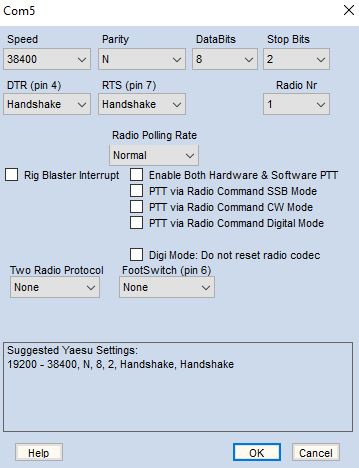
Enhanced COM port - Use to connect the radio.
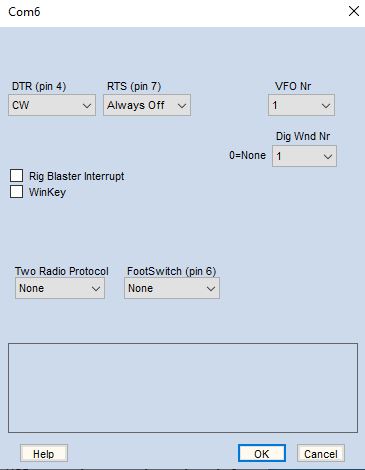
Standard COM port - Use for CW keying and RTTY
FT991A MENU SETTINGS FOR DATA MODES
These settings will allow SSB, CW, and data modes via N1MM logger or similar programs.
Menu Changes:
Menu 33 - CAT RTS = Disable
Menu 60 - PC Keying = DTR. (to allow CW keying)
Menu 62 - DATA Modes = Others
Menu 72 - DATA Port Select = USB
Menu 96 - RTTY Shift Port = RTS (To allow RTTY Keying)
Menu 108 - SSB PTT Select = RTS
Menu 109 - SSB Port Select = USB
Menu 142 Vox Select - DATA
Menu 147 Vox Delay - 300ms
WSJT Setting: - Set CAT = COM4 38400 8 2 None, PTT = RTS / COM3 .
SETTING UP THE RADIO FOR N1MM AND DATA MODES
Note: 232C Rate is for 9 pin serial cable, and CAT rate is for USB connection.
Note: VOX needs to be on for voice and data modes.
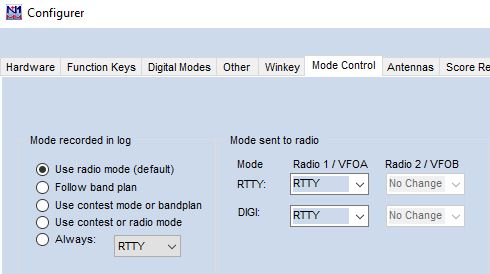
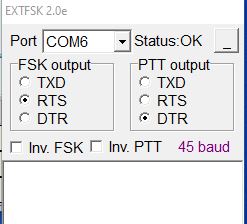
Setting up Enhanced and Standard Yaesu COM ports.Setup for the FT991A Enhanced COM port.Setting up the CW keyer on the Standard COM port.Need to set to RTTY to force the radio into RTTY mode when changing to RTTY.Use the Standard COM port for RTTY and setup as per picture.
USEFUL CAT COMMANDS
{CAT1ASC PB##;} Playback from pre-recorded memories. Where ## = 00 for stop, 01 - 04 for playback etc.
{CAT1ASC EX1420;} Sets Vox to Mic
{CAT1ASC EX1421;} Sets Vox to Data
{CAT1ASC VX0;} Turns Vox off
{CAT1ASC VX1;} Turns Vox on
{CAT1ASC KS###;} Change Keyer speed 004-060 WPM.
{CAT1ASC KY#;} Turn Keyer on or off. 0 or 1
{CAT1ASC BI#;} Turn Break-in on or off. 0 or 1.
{CAT1 = rig 1, CAT2 = rig 2 where needed.
>
CAT COMMANDS re SCU17 Interface and N1MM with the FT5000
Changing from audio in via rear to audio in via microphone - FT5000
F1 CQ,{CAT1ASC EX1031;}{OPERATOR}\Cq.wav{END}{CAT1ASC EX1030;}